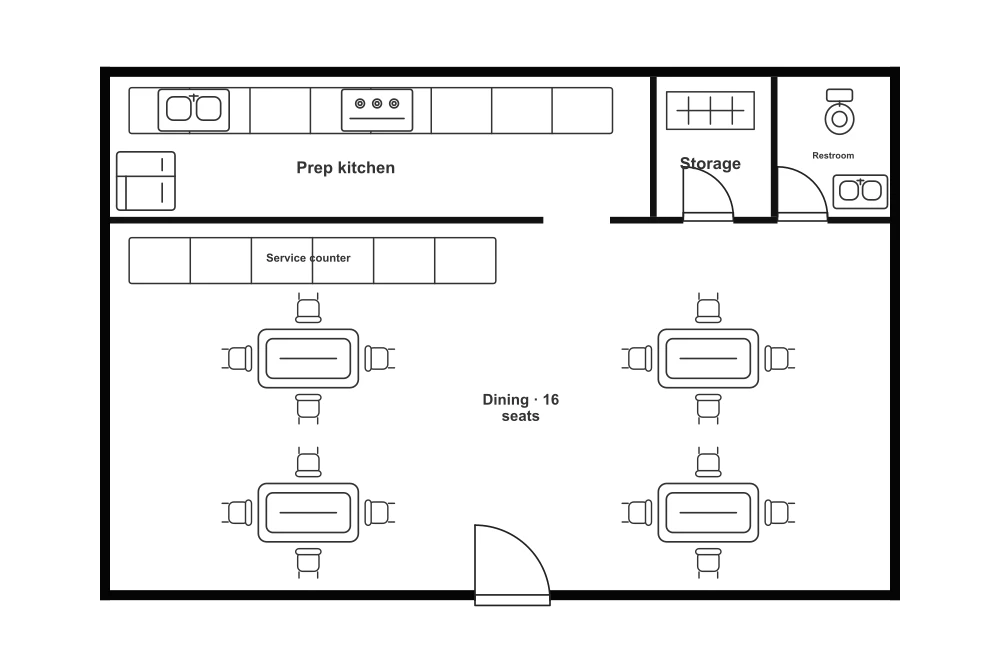
Two-Story Restaurant Floor Plan
- Total area (m²)
- 240
- Table seats
- 32
- Floors
- 2
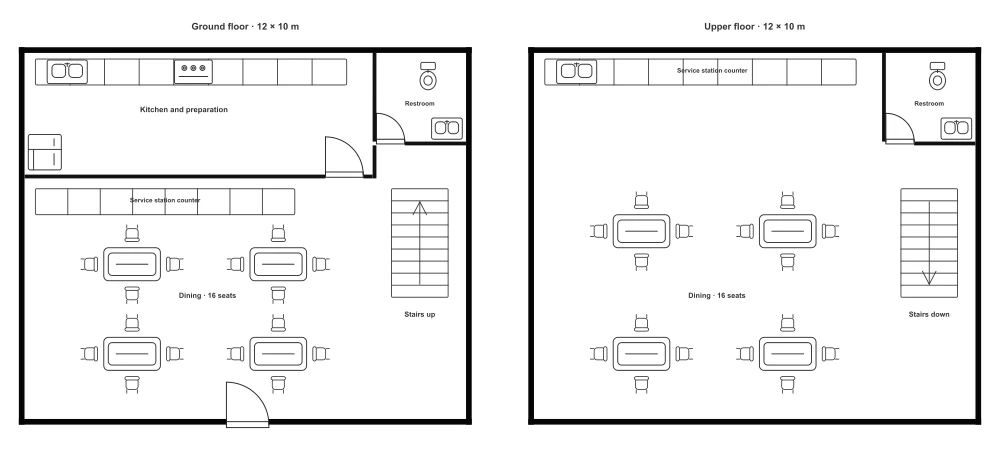
This two-story restaurant floor plan has 32 seats, with 16 on each floor. Each floor measures approximately 12 × 10 m, with a kitchen on the ground floor and a service station upstairs. Edit both restaurant layouts together on one canvas.
Room breakdown
| Zone | Included elements | Planning notes |
|---|---|---|
| Ground-floor dining | 4 tables, 16 separate chairs, and a service station counter outside the kitchen | The main entrance opens directly into the dining area. |
| Ground-floor kitchen | Preparation cabinets, sink, stove, refrigerator, and hinged entry door | A separate kitchen keeps preparation distinct from the dining area. |
| Upper-floor dining | 4 tables, 16 separate chairs, and an open service station | Service facilities are available upstairs without returning to the ground-floor kitchen. |
| Stair locations | 1 staircase on each floor drawing | The matching locations illustrate the connection between levels. |
| Restrooms | 1 toilet and sink on each floor | A restroom on each floor keeps facilities close to both dining areas. |
Layout highlights
| Topic | Layout details |
|---|---|
| Best suited for | Planning dining and service across two levels. |
| Service distribution | The main kitchen is downstairs, with an additional service station upstairs. |
| Seating on each floor | Separate dining levels allow different seating groups to occupy each floor. |
| Editing format | Review the two drawings together when changing the relationship between stairs and dining areas. |
Common modifications
Change seating on either floor
Group tables for larger parties or separate them for smaller groups.
Adjust the upstairs service station
Position the upstairs counter near the dining tables for easier service.
Review the stair connection
Keep staircase positions aligned across both floor drawings.
How to use the Two-story restaurant floor plan
Choose an editor
Select Edit this template to edit walls and furniture in the Floor Plan Creator, or select Edit image to describe changes to the preview image.
Make your changes
Rearrange the layout, or describe image changes and generate a result.
Review the result
Check your changes and refine the layout or image.
Save or export
Sign in to save your Creator project to your account in the cloud, or export it without signing in. Download the edited image from the image editor.
Frequently asked questions
Both floors appear side by side on one editable canvas. Move, resize, rotate, or delete the elements on either floor. The Creator does not provide a separate floor switcher for this template.
Yes. Move or resize the editable service counters and nearby furniture to explore separate ordering and pickup areas. Check the space for queues and routes to tables and stairs; the template does not simulate customer flow.
Sign in, then use Save in the Creator to save both floor drawings together as one editable project to your account in the cloud. Reopen it from Designs when you return. Use Export to download your customized plan.
Each floor has four tables and 16 chairs, giving 32 seats in total. Rearrange seating on either floor as needed.
The main kitchen is on the ground floor, with a service counter outside it. Upstairs has an open service station with a sink and counter.
Each floor is approximately 12 × 10 m, or 120 m², for 240 m² in total. The side-by-side canvas does not represent a single building footprint.