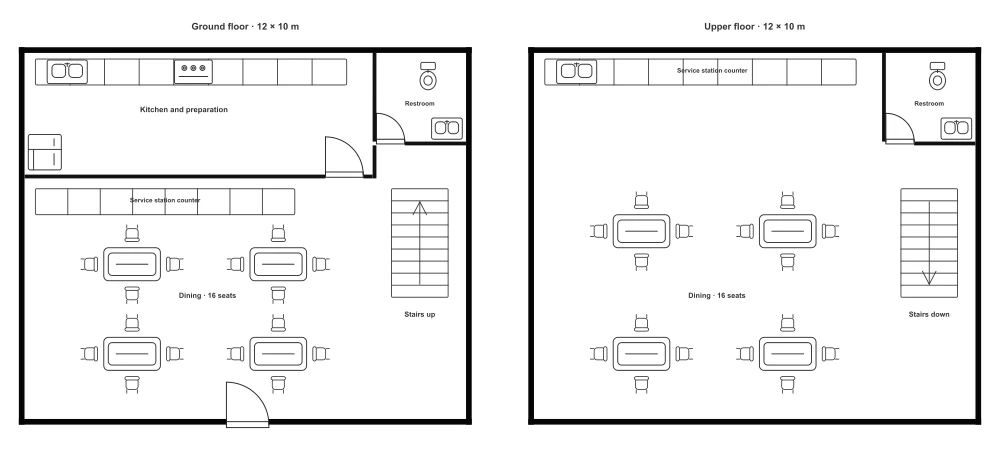
Cafe Floor Plan with 16 Seats
- Area (m²)
- 96
- Table seats
- 16
- Service counter
- 1
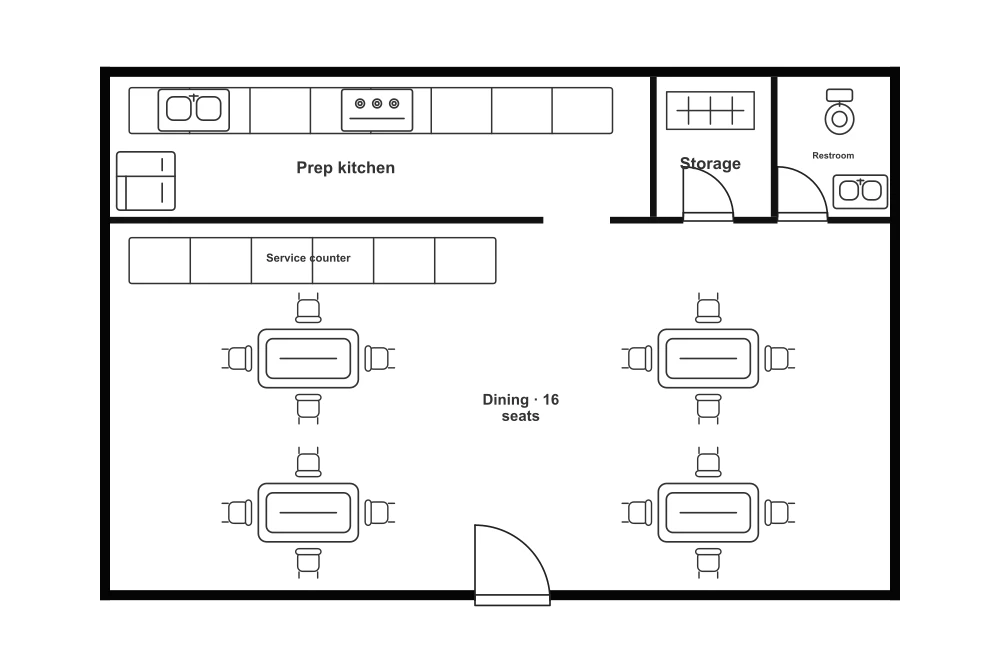
This 12 × 8 m cafe floor plan includes 16 seats, a service counter, and separate preparation, storage, and restroom areas. Customize the seating and counter arrangement to explore a layout for a small cafe.
Room breakdown
| Zone | Included elements | Planning notes |
|---|---|---|
| Dining area | 4 tables and 16 separate chairs | Create a seating arrangement for coffee catch-ups, casual meetings, or small groups. |
| Service counter | 1 counter run facing the dining area | Bring ordering and collection together at one customer-facing counter. |
| Preparation area | Sink, stove, refrigerator, and cabinets | Organize preparation equipment around your cafe menu and daily workflow. |
| Storage | Separate rear storage room with a cabinet and hinged door | Keep supplies close to the kitchen and away from the dining area. |
| Restroom | Toilet, sink, and hinged door | A separate restroom completes the cafe’s supporting spaces. |
Layout highlights
| Topic | Layout details |
|---|---|
| Best suited for | A cafe with seated dining and a separate preparation room. |
| Customer and staff spaces | The dining area faces the service counter; preparation and storage occupy separate rooms. |
| Seating mix | Four four-seat tables can be regrouped for pairs or small parties. |
| Supply access | The storage room sits beside the preparation area. |
Common modifications
Create your ideal seating mix
Group tables for shared visits or space them apart for quieter seating.
Make the counter your focal point
Place the service counter to separate ordering from pickup.
Build a workflow around your menu
Arrange preparation equipment with supplies close to the kitchen.
How to use the Cafe floor plan
Choose an editor
Select Edit this template to edit walls and furniture in the Floor Plan Creator, or select Edit image to describe changes to the preview image.
Make your changes
Rearrange the layout, or describe image changes and generate a result.
Review the result
Check your changes and refine the layout or image.
Save or export
Sign in to save your Creator project to your account in the cloud, or export it without signing in. Download the edited image from the image editor.
Frequently asked questions
Yes. The template uses separate editable walls, tables, chairs, counters, and fixtures. Open it in the Creator to move, resize, rotate, or delete them.
Yes. Reposition the service counter and nearby furniture to create separate ordering and pickup areas. Leave space for customers to queue and move between the counter and tables.
Yes. Move, resize, or replace the preparation elements in the Creator to explore a setup for your cafe menu. The sink, stove, refrigerator, cabinets, and walls are individually editable.
Sign in, then use Save in the Creator to save your editable project to your account in the cloud. Reopen it from Designs when you return. Use Export to download your customized plan.
Four tables with four chairs each provide 16 seats. Tables and chairs are individually editable.
Yes. The starting footprint is approximately 12 × 8 m. Adjust the walls, entrance, counter, and furniture to your measured space.